
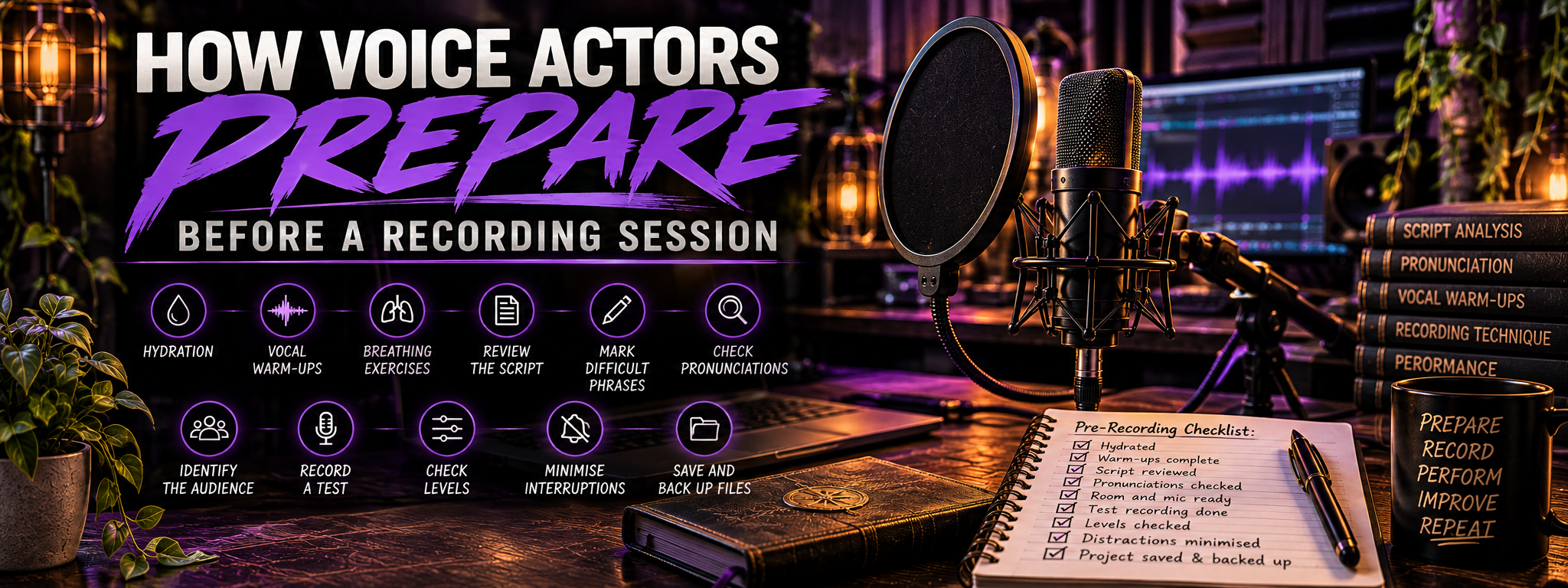
How Voice Actors Prepare Before a Recording Session
How Voice Actors Prepare Before a Recording Session
A good voice-over session begins before you press record.
Long before the first waveform appears on screen, there are dozens of small decisions that can determine whether a recording session feels controlled and productive or becomes an hour of retakes, mysterious noises, pronunciation searches, dry mouth, and wondering why the microphone suddenly sounds different from yesterday.
Professional preparation does not need to involve an elaborate ritual.
It is mostly about removing problems before they have the opportunity to become recording problems.
That means preparing your voice, understanding the script, checking difficult words, setting up the studio, testing your levels, reducing interruptions, and making sure your work is being saved somewhere sensible.
The goal is simple:
When the recording begins, your attention should be on the performance rather than everything surrounding it.
Here is how to prepare.
Preparation Is Part of the Performance
It is tempting to think of voice-over as the part where you speak into the microphone.
In reality, the finished performance depends heavily on what happened beforehand.
If you begin recording without reading the script, you may stumble over unfamiliar phrases.
If you have not checked pronunciation, uncertainty will creep into the delivery.
If your gain is wrong, a brilliant performance may clip.
If you are dehydrated, your mouth may produce more clicks and noise.
If notifications are still enabled, your beautifully intimate narration may suddenly acquire an unsolicited supporting performance from Windows.
Preparation removes distractions.
The fewer technical and practical decisions you need to make while performing, the more attention you can give to the listener, character, intention, and story.
Hydrate Before You Need To
Your voice relies on hydration.
The vocal folds themselves need healthy moisture levels to function comfortably, and dehydration can contribute to vocal fatigue, dryness, and increased mouth noise.
However, drinking an enormous glass of water thirty seconds before recording is not an instant solution.
Hydration works best when it happens gradually.
Drink water regularly throughout the day, particularly before longer recording sessions.
Keep water nearby during the session so you can take small drinks between sections.
For most recording work, plain room-temperature water is perfectly suitable.
Very cold water may feel refreshing, but some performers find it encourages tension or makes the throat feel less comfortable immediately before speaking.
The important thing is finding something that keeps you comfortably hydrated without affecting your voice.
Watch What You Eat and Drink Before Recording
Everyone responds differently to food and drink, so learn what affects your own voice.
Some performers find that certain foods increase:
- Mouth clicks
- Saliva
- Mucus
- Reflux
- Throat irritation
- Dryness
Dairy is frequently mentioned in voice-over circles, although individual reactions vary considerably.
Coffee can be useful when your brain is attempting to negotiate a return to bed, but caffeine may also contribute to dryness for some people.
Alcohol is generally a poor choice before recording because it can affect hydration, coordination, judgement, and vocal control.
Heavy meals immediately before a session can also make breathing less comfortable.
The solution is not to develop a terrifying pre-recording diet consisting solely of water and regret.
Pay attention to your own body.
Know which foods help you feel comfortable and which ones make recording more difficult.
Keep Useful Things Nearby
A practical recording space might contain:
- Water
- Lip balm
- Tissues
- A pencil or stylus
- Your script
- Pronunciation notes
- Headphones
- Any required reference material
Having these things available prevents unnecessary interruptions once the session begins.
If you regularly record long sessions, create a small recording kit.
The less often you need to leave the booth because you forgot something, the easier it is to maintain momentum.
Warm Up the Voice
You would not expect a singer to walk onto a stage completely cold and immediately attempt their most demanding material.
Voice acting deserves similar preparation.
A vocal warm-up gently prepares the muscles involved in breathing, articulation, resonance, and speech.
It does not need to take half an hour.
Even five to ten minutes can help you become more physically and vocally ready to perform.
Start Gently
Do not begin your warm-up by immediately shouting the most dramatic line in the script.
Start with relaxed sounds.
You might use:
- Gentle humming
- Lip trills
- Tongue trills
- Soft sirens
- Comfortable pitch slides
- Light sustained vowels
The goal is not volume.
You are gradually waking up the voice.
Nothing should feel painful or forced.
If your voice hurts, stop.
Pain is not a sign that the warm-up is working particularly enthusiastically.
Warm Up Articulation
Once the voice feels comfortable, work on clarity.
Try exaggerated movements of the:
- Lips
- Tongue
- Jaw
- Cheeks
Then practise phrases containing different consonants.
Tongue twisters can be useful, but speed is not the goal.
Begin slowly.
Aim for clean articulation.
Then increase the pace while maintaining clarity.
For example:
Red leather, yellow leather.
Or:
Unique New York.
Or any similarly awkward phrase that makes you temporarily question whether you have ever successfully spoken before.
These exercises help wake up the articulators before you encounter complicated sentences in the actual script.
Match the Warm-Up to the Session
Different sessions place different demands on the voice.
A quiet audiobook session may require:
- Relaxed breathing
- Gentle resonance
- Clear articulation
- Comfortable sustained speech
A high-energy commercial may benefit from:
- More physical movement
- Stronger breath support
- Energetic articulation
- Wider pitch exploration
A creature or combat session may require much more careful preparation.
Aggressive character voices, shouting, growling, screaming, and other vocally demanding performances should never begin completely cold.
Warm up gradually and understand your limits.
A dramatic performance is not worth injuring your voice.
Use Breathing Exercises
Breath supports almost everything you do in voice-over.
Poor breath management can cause:
- Rushed sentences
- Weak sentence endings
- Unnecessary tension
- Audible gasping
- Inconsistent volume
- Poor phrasing
A few simple exercises can help settle your breathing before recording.
Try Slow Controlled Breathing
Sit or stand comfortably.
Allow the shoulders and neck to remain relaxed.
Breathe in gently.
Then exhale slowly and steadily.
You can repeat this several times without forcing the breath.
The goal is not to take the largest breath physically possible.
Huge inhalations can actually create unnecessary tension.
Aim for comfortable, controlled breathing.
Practise Sustained Exhalation
Take a comfortable breath and release it on a gentle:
Sssssssss.
Try to keep the sound steady.
Do not force yourself to continue until you are completely empty.
This exercise develops awareness of controlled airflow.
You can also use:
- Ffffff
- Vvvvvv
- Zzzzzz
These provide slightly different sensations and help connect breath with sound.
Read Long Sentences Before Recording
If the script contains long sentences, practise them before the session begins.
Identify sensible breathing points.
Do not wait until your lungs are almost empty before taking a breath.
Good breath placement follows meaning.
A natural pause between ideas is usually better than desperately inhaling halfway through an important phrase.
Review the Entire Script
Whenever possible, read the complete script before recording.
Not just the opening paragraph.
Not just your lines.
The whole thing.
Context changes performance.
A line that appears cheerful at the beginning may have completely different meaning once you discover what happens later.
A commercial may reveal its main message halfway through.
A character may be lying.
An audiobook narrator may be deliberately withholding information.
A corporate script may introduce terminology that appears repeatedly.
Reading ahead allows you to understand where the script is going rather than discovering it while the microphone is running.
Identify the Purpose
Before recording, ask:
- What is this script trying to achieve?
- Who is speaking?
- Who are they speaking to?
- What should the listener understand?
- What should the listener feel?
- What should the listener do afterwards?
This connects directly to natural voice-over performance.
If you understand the purpose of the script, your delivery becomes communication rather than recitation.
Identify the Audience
Do not simply think:
This is for customers.
Make the audience more specific.
Is the listener:
- A worried parent?
- A new employee?
- A business owner?
- A teenager?
- A fantasy adventurer?
- An experienced professional?
- Someone encountering the product for the first time?
You do not need an entire imaginary biography.
You need enough information to understand the relationship.
Once you know who is listening, choices about pace, warmth, authority, humour, and intimacy become easier.
Mark Difficult Phrases
Some sentences look harmless on the page and transform into verbal traps the moment they are spoken.
Watch for:
- Repeated consonants
- Similar adjacent words
- Long technical phrases
- Unusual names
- Tongue-twisting combinations
- Very long sentences
- Abrupt emotional shifts
- Lists
- Numbers
- Acronyms
Read these sections aloud before recording.
If you repeatedly stumble over the same phrase, do not simply hope that recording will somehow improve matters.
Isolate it.
Practise it slowly.
Then rebuild the surrounding sentence.
Break Difficult Sentences Into Thoughts
Long sentences become easier when you understand their structure.
Mark where:
- One idea ends
- Another begins
- The emotional direction changes
- The listener needs time
- A natural breath can occur
You might use:
- Slashes
- Underlining
- Highlighting
- Circles
- Arrows
- Different colours
There is no correct annotation system.
Use whatever allows you to understand the script quickly while recording.
The script should become a performance map rather than a page full of obstacles.
Mark Emphasis Carefully
You may also want to mark words that carry important meaning.
Do not highlight half the page.
If everything is important, nothing is important.
Choose the words that genuinely change the thought.
Remember that emphasis does not always mean louder.
Sometimes the most important word becomes quieter.
Your markings should remind you of meaning, not force you into one rigid vocal pattern.
Check Pronunciations Before Recording
Never assume you will figure out an unfamiliar word when you reach it.
Check it beforehand.
This is particularly important for:
- Names
- Places
- Brands
- Medical terminology
- Scientific language
- Historical figures
- Fictional locations
- Foreign-language words
- Acronyms
- Specialist industry terms
Incorrect pronunciation can require pickups later and may damage confidence in the entire performance.
Ask the Client When Necessary
If a pronunciation is specific to a company, fictional world, individual, or regional preference, the client is often the best source.
Ask for clarification before recording where possible.
Useful pronunciation references may include:
- A written phonetic guide
- An audio recording
- A video reference
- A pronunciation dictionary
- An official company resource
For invented words, character names, or fictional locations, there may be no universally correct pronunciation.
The project determines the correct version.
Create a Pronunciation Sheet
For longer projects, maintain a pronunciation document.
Include:
- The word
- The approved pronunciation
- Where it appears
- Any useful notes
- The source of confirmation
This is extremely valuable for audiobooks, games, and recurring corporate projects.
Months later, you do not want to discover that a character's hometown has mysteriously acquired a completely different pronunciation.
Consistency is part of professional delivery.
Perform a Script Read-Through
After analysing the text, read it aloud once without recording the final performance.
This helps identify:
- Awkward transitions
- Unexpected breathing problems
- Difficult pronunciation
- Pacing issues
- Emotional changes
- Sections requiring more preparation
The read-through does not need to be perfect.
Its purpose is reconnaissance.
You are learning where the script fights back.
Prepare the Recording Environment
Once the performer and script are ready, prepare the room.
Check that:
- Doors are closed
- Windows are closed where appropriate
- Heating or ventilation noise is controlled
- Phones are silenced
- Notifications are disabled
- Unnecessary electronics are off
- Household members know you are recording
- Pets are settled where possible
- Your chair is quiet
- Your script is positioned correctly
- The microphone stand is stable
The goal is to reduce preventable interruptions.
Some noise cannot be controlled.
A passing aircraft has little interest in your booking schedule.
But a notification chime, washing machine, or ringing phone usually can be prevented.
Minimise Interruptions
Let other people in the home know when you are recording.
A sign on the door can help.
Something as simple as:
RECORDING: PLEASE DO NOT DISTURB
may prevent a surprising number of problems.
You can also:
- Silence your phone
- Disable desktop notifications
- Pause messaging applications
- Close email
- Stop unnecessary downloads
- Pause cloud synchronisation
- Close noisy applications
Give yourself permission to be unavailable for the session.
Every interruption breaks concentration.
For character and emotional work, rebuilding that concentration can take longer than the interruption itself.
Prepare the Computer
Before recording:
- Close unnecessary programs
- Check available storage
- Confirm the correct microphone input
- Confirm the sample rate and bit depth
- Check the project folder
- Check your headphones
- Make sure the recording software is stable
If the session is important, restart the computer beforehand if necessary.
This can clear background processes and reduce the likelihood of software behaving strangely halfway through the recording.
Do not perform major updates immediately before paid work.
The minutes before a client session are not the ideal time to discover that your audio interface has developed an exciting new relationship with an updated driver.
Record a Test
Always record a short test before beginning the actual session.
Thirty seconds may be enough.
Include:
- Normal speaking
- Quiet lines
- Louder lines
- Plosives
- Sibilant words
- A few breaths
- Silence
Then stop.
Listen to it.
This final step matters.
Watching the meter is not the same as listening to the recording.
What Should You Listen For?
Check for:
- Background noise
- Echo
- Hum
- Distortion
- Plosives
- Sibilance
- Excessive mouth noise
- Clothing movement
- Desk vibration
- Incorrect microphone position
- Headphone bleed
Make sure the microphone sounds the way you expect.
If something is wrong, solve it now.
Discovering the problem after forty-five minutes of recording is considerably less entertaining.
Check Your Levels
Your recording level should capture a healthy signal without clipping.
Perform the loudest section you expect to record.
Do not set levels using your gentlest opening line if the script later involves screaming at a dragon.
Leave headroom.
Digital clipping produces harsh distortion and cannot reliably be repaired afterwards.
Depending on your equipment and workflow, exact preferred levels vary, but a common practical approach is to allow normal speech to sit comfortably below maximum while louder peaks still have plenty of room.
The important thing is consistency and safety.
Do Not Record Too Quietly Out of Fear
Clipping is bad.
That does not mean the waveform needs to resemble a nervous pencil line hiding near the centre of the screen.
Extremely low recordings may require significant amplification later, which can also bring up background and equipment noise.
Aim for a strong, clean recording with sensible headroom.
Test.
Listen.
Adjust.
Then leave the gain alone unless the performance style changes substantially.
Check Microphone Position
Before recording, verify:
- Distance
- Height
- Angle
- Pop-filter position
- Chair position
- Script position
It is surprisingly easy to move equipment during setup and forget to return it.
If you regularly record from the same position, create visual references.
Small pieces of removable tape can mark:
- Stand position
- Chair location
- Desk setup
Consistency becomes particularly important when recording pickups later.
Record Some Room Tone
Room tone is the natural background sound of your recording environment.
Before or after the session, record approximately thirty seconds of silence.
Do not:
- Shuffle
- Breathe loudly
- Touch the desk
- Move the chair
Just allow the room to exist.
Room tone can be useful during editing when filling natural gaps between sections.
It can also help you notice changes in your recording environment over time.
Organise the Project Before Recording
Do not wait until after the session to decide where everything belongs.
Create a clear folder structure.
For example:
Project Name
- Raw Audio
- Edited Audio
- Final Delivery
- Scripts
- References
- Pronunciation Notes
- Backups
The exact system does not matter as much as consistency.
You should be able to find the original audio months later without opening a folder called:
NEW FINAL FINAL USE THIS VERSION MAYBE
Name Files Clearly
Use file names that communicate what they contain.
For example:
ProjectName_Chapter03_Raw.wav
or:
ClientName_Commercial_Take02.wav
Avoid relying entirely on your memory.
Future-you is busy.
Help them.
Save Immediately
Save the project before recording.
Then save regularly.
Most modern software has autosave options.
Use them.
Check where the autosave files are stored and understand how to recover them.
A recording session should never depend on the hope that the computer continues behaving politely.
Back Up Important Recordings
A useful principle is:
If a file exists in only one place, it is not backed up.
Important work should exist in multiple locations.
Depending on the project, this could include:
- Your main computer
- An external drive
- Network storage
- Secure cloud storage
For professional work, consider keeping the original raw recordings until the project is completed and approved.
Never assume that because you exported the final MP3, the original session can immediately be deleted.
Clients request revisions.
Projects change.
Files become corrupted.
The raw recording is your safety net.
Use the 3-2-1 Backup Principle for Important Work
For valuable projects, the traditional 3-2-1 backup approach is useful:
- Keep three copies of important data
- Use two different types of storage
- Keep one copy somewhere separate from the main system
You do not necessarily need an enterprise data centre hidden beneath the house.
An internal drive, external drive, and secure cloud backup can provide meaningful protection.
The more valuable the recording, the more seriously you should protect it.
Give Yourself a Few Minutes Before the Take
Once everything is ready, do not immediately launch into the performance at full speed.
Take a moment.
Read the opening line.
Remember who you are speaking to.
Check the objective.
Settle into the physical position.
Then begin.
Those few seconds create a mental boundary between preparation and performance.
The technical work is finished.
Now you communicate.
Develop a Repeatable Pre-Session Routine
A consistent routine reduces cognitive load.
You no longer need to remember every preparation step from scratch.
A basic sequence might look like this:
- Hydrate.
- Warm up the voice.
- Perform breathing exercises.
- Read the script.
- Identify the audience and objective.
- Mark difficult phrases.
- Check pronunciations.
- Prepare the studio.
- Silence notifications and distractions.
- Position the microphone and script.
- Open and save the project.
- Record a test.
- Check levels.
- Listen to the test.
- Record room tone.
- Begin the session.
- Save regularly.
- Back up the files afterwards.
Over time, this becomes automatic.
The routine may take only a few minutes, but it can prevent hours of correction later.
Do Not Turn Preparation Into Procrastination
Preparation is valuable.
Infinite preparation is not.
There comes a point where another warm-up, another script annotation, and another test recording will no longer meaningfully improve the session.
Do the necessary work.
Then press record.
Some performances only reveal themselves once you begin.
You can refine them as you go.
The goal of preparation is to make recording easier, not to avoid recording indefinitely while arranging your highlighters according to emotional significance.
After the Session
Preparation does not completely end when recording stops.
Before closing the project:
- Save the session
- Confirm the recording exists
- Check the expected files are present
- Back up the project
- Note any pickups required
- Save pronunciation decisions
- Record notes for the next session
If the project continues another day, write down anything that will help reproduce the setup.
This might include:
- Microphone position
- Gain level
- Performance notes
- Character placement
- Vocal quality
- Pronunciation choices
These notes can dramatically improve consistency.
A Voice Actor’s Pre-Recording Checklist
Before every session, check the following.
Voice
- Am I hydrated?
- Have I warmed up?
- Is my voice comfortable?
- Have I done a short breathing exercise?
Script
- Have I read the complete script?
- Do I understand its purpose?
- Do I know who I am speaking to?
- Have I marked difficult phrases?
- Have I checked unfamiliar pronunciations?
- Have I identified important changes of thought?
Studio
- Is the room quiet?
- Are doors and windows controlled?
- Are notifications disabled?
- Are unnecessary devices switched off?
- Is the microphone positioned correctly?
- Is the script easy to read?
- Is the chair and desk quiet?
Recording
- Is the correct microphone selected?
- Is the gain appropriate?
- Have I tested the loudest section?
- Have I recorded a short test?
- Have I listened to the test?
- Is there enough disk space?
- Have I saved the project?
Protection
- Is autosave enabled?
- Is the project stored in the correct folder?
- Do I know where the raw audio is being saved?
- Will the session be backed up afterwards?
If everything is ready, stop troubleshooting.
Record.
Final Thoughts
Professional voice-over preparation is not glamorous.
Most of it happens quietly.
Water beside the microphone.
A few minutes of warming up.
A marked script.
A pronunciation checked before it becomes a problem.
A thirty-second test.
A phone placed on silent.
A properly named folder waiting for the recording.
None of these things are particularly dramatic.
Together, they create the conditions for better performance.
Because once recording begins, you should not be thinking about hydration, gain settings, file names, notification sounds, or whether you remembered how to pronounce the company founder's surname.
You should be thinking about the person listening.
What they need to hear.
What they need to feel.
And what you are trying to communicate.
Prepare everything else so thoroughly that, when the red light comes on, only the performance remains.